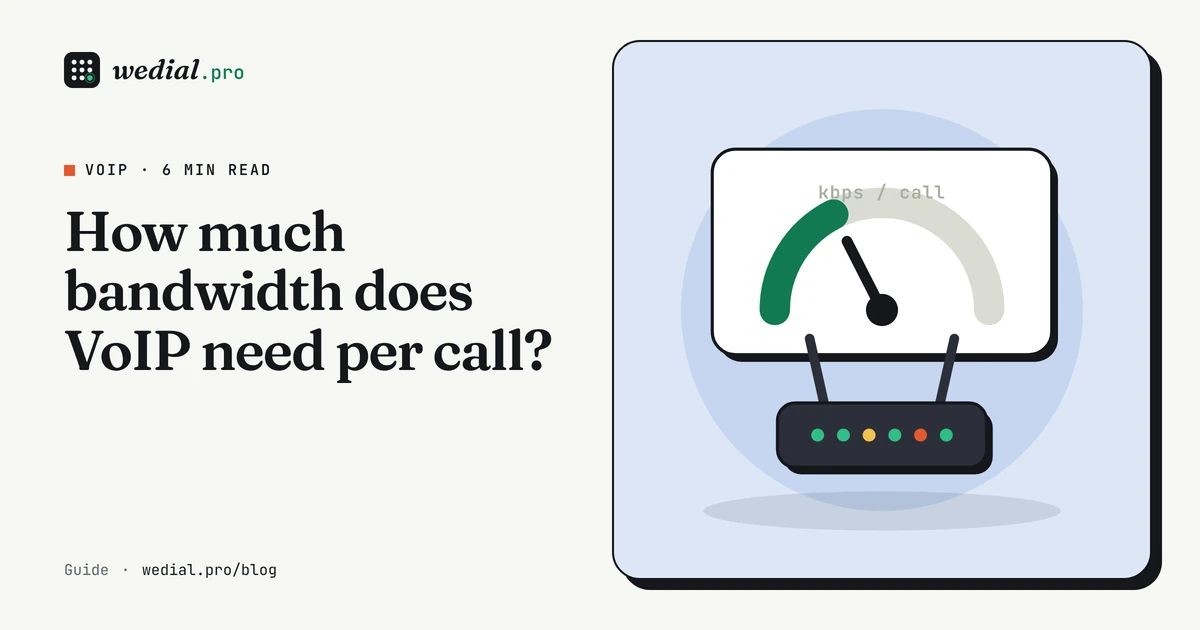
A codec's headline bitrate is not what a call uses on your network. G.711 is called a 64 kbps codec, but a VoIP call needs about 87 kbps in each direction. The difference is packet overhead. This guide shows how to work out VoIP bandwidth per call, then for a whole office or a team of remote agents.
Why a call uses more than the codec rate
Each packet carries a small slice of audio, usually 20 ms of it, plus headers:
- IP, UDP and RTP headers: 40 bytes (20 + 8 + 12).
- Ethernet framing: 18 bytes on a local network.
At 20 ms per packet you send 50 packets a second. So the bandwidth per call is:
(voice payload + 40 + 18 bytes) × 8 bits × 50 packets a second
Worked examples
G.711 (64 kbps). Voice payload for 20 ms is 160 bytes. (160 + 40 + 18) × 8 × 50 = 87.2 kbps. Counting IP-level headers only, without Ethernet, it is 80 kbps. Headers are about 27% of what goes on the wire.
G.729 (8 kbps). Voice payload for 20 ms is 20 bytes. (20 + 40 + 18) × 8 × 50 = 31.2 kbps. At IP level it is 24 kbps. Here the headers are about three-quarters of the traffic: the codec is so efficient that the headers dominate.
G.711 bandwidth and other codecs
Per call, in each direction, as IP-level kbps / kbps with Ethernet framing:
| Codec | 10 ms packets | 20 ms packets | 30 ms packets | 40 ms packets |
|---|---|---|---|---|
| G.711 (64 kbps) | 96.0 / 110.4 | 80.0 / 87.2 | 74.7 / 79.5 | 72.0 / 75.6 |
| G.722 (64 kbps) | 96.0 / 110.4 | 80.0 / 87.2 | 74.7 / 79.5 | 72.0 / 75.6 |
| GSM (13.2 kbps) | 45.2 / 59.6 | 29.2 / 36.4 | 23.9 / 28.7 | 21.2 / 24.8 |
| Opus (24 kbps) | 56.0 / 70.4 | 40.0 / 47.2 | 34.7 / 39.5 | 32.0 / 35.6 |
| G.729 (8 kbps) | 40.0 / 54.4 | 24.0 / 31.2 | 18.7 / 23.5 | 16.0 / 19.6 |
G.722 is a wideband codec with the same payload rate as G.711, so it uses the same bandwidth. Opus can run at many bitrates; the row shows 24 kbps as an example. The codec bandwidth calculator covers these and lets you change the interval.
A longer packet interval cuts overhead but adds delay and makes each lost packet more audible. For most uses, 20 ms is the sensible default.
Each direction counts
A call sends and receives at the same time, so these figures apply to both upload and download. On broadband that is slower in one direction (usually upload), that direction runs out first.
From one call to a whole office
- Work out the simultaneous calls you need in your busiest hour. Not the headcount. The Erlang B calculator turns calls per hour and call length into a number of channels.
- Multiply by the per-call bandwidth.
- Add headroom. A common rule of thumb is 20% to 30% extra, so signalling, bursts and other traffic do not squeeze the calls.
Example. An office that handles 120 calls an hour of 3 minutes each needs 13 channels at 1% blocking (6 erlangs). With G.711 and Ethernet overhead:
- 13 × 87.2 kbps = 1,133.6 kbps, about 1.13 Mbps each way.
- With 25% headroom: about 1.42 Mbps.
- With 30% headroom: about 1.47 Mbps.
That is a modest figure. The sum is dominated by how many calls happen at once, not by how many people work there.
Remote agents and call centers
For remote agents, each agent needs about 87 kbps up and down for their own call (G.711), but the connection that matters most is the one at the center or provider end, where all the calls meet. Fifty agents on calls at the same time with G.711 add up to 50 × 87.2 = 4,360 kbps, about 4.4 Mbps, each way, before headroom. Check the home connections too: a household that streams video during the shift can squeeze an agent's call even when the call itself is small.
What else shares the link
Voice shares the connection with everything else. Video calls, cloud backups and software updates can all fill a link and cause the congestion that damages calls. A VPN adds its own headers to every packet, which raises the bandwidth per call a little and can add delay. Either give voice priority with QoS, or keep a dedicated allowance for it. See what jitter, latency and packet loss do to calls for how congestion shows up.
Sizing by office size
Putting the steps together, here is the connection you need for different call volumes, using G.711 with Ethernet overhead and 1% blocking. The calls-per-hour and call length are examples:
| Busy-hour calls | Call length | Traffic | Channels | Bandwidth each way | With 25% headroom |
|---|---|---|---|---|---|
| 20 | 3 min | 1.0 erlang | 5 | 0.44 Mbps | 0.55 Mbps |
| 60 | 3 min | 3.0 erlangs | 8 | 0.70 Mbps | 0.87 Mbps |
| 120 | 3 min | 6.0 erlangs | 13 | 1.13 Mbps | 1.42 Mbps |
| 200 | 4 min | 13.3 erlangs | 22 | 1.92 Mbps | 2.40 Mbps |
| 400 | 4 min | 26.7 erlangs | 38 | 3.31 Mbps | 4.14 Mbps |
| 600 | 5 min | 50.0 erlangs | 64 | 5.58 Mbps | 6.98 Mbps |
Even a busy office of several hundred calls an hour needs only a few megabits for voice. The call volume, not the number of staff, drives the figure.
How to measure what your calls really use
Don't rely only on the arithmetic. Check it against a real call:
- Softphone and handset statistics often show the bitrate and packet counts for a live call.
- Router or switch counters show traffic on the voice VLAN or the phone's port during a call.
- A packet capture in a tool such as Wireshark shows the codec, packet interval and size of each RTP packet, so you can confirm the figures above.
If a measured call uses much more than the sum predicts, look for a different codec than you expected, a shorter packet interval, or tunnelling overhead from a VPN.
Common sizing mistakes
- Sizing by headcount instead of busy-hour concurrent calls.
- Counting only download. Upload is often the bottleneck.
- Using the codec rate (64 kbps) instead of the rate with headers (87 kbps).
- Forgetting headroom for signalling, retransmissions and bursts.
- Ignoring everything else on the link, especially bulk uploads.
A quick checklist
- Pick the codec first: it sets the bandwidth per call.
- Work out busy-hour concurrent calls, not staff.
- Multiply, then add 20% to 30% headroom.
- Check upload, not just download.
- Test at your busiest hour, with the other traffic running.
FAQ
How much upload speed do I need for 10 calls?
With G.711 and Ethernet overhead, about 87 kbps per call, so roughly 0.9 Mbps for 10 simultaneous calls, plus headroom. Upload is usually the tighter direction on home and small-office broadband.
Does a G.729 call use much less bandwidth?
Yes. With the same packet headers it uses about 31 kbps each way against about 87 kbps for G.711, at 20 ms packets.
Do I need bandwidth for every user?
No. Plan for the number of simultaneous calls in your busiest hour, not the number of staff. The Erlang B calculator helps work that out.
Does the packet interval change VoIP bandwidth?
Yes. A longer interval puts more audio in each packet and sends fewer packets, so header overhead falls. It also adds delay, so 20 ms is the usual default.
Backend engineer who has built VoIP platforms on Asterisk, with years of Laravel and AWS work behind them. More about us